
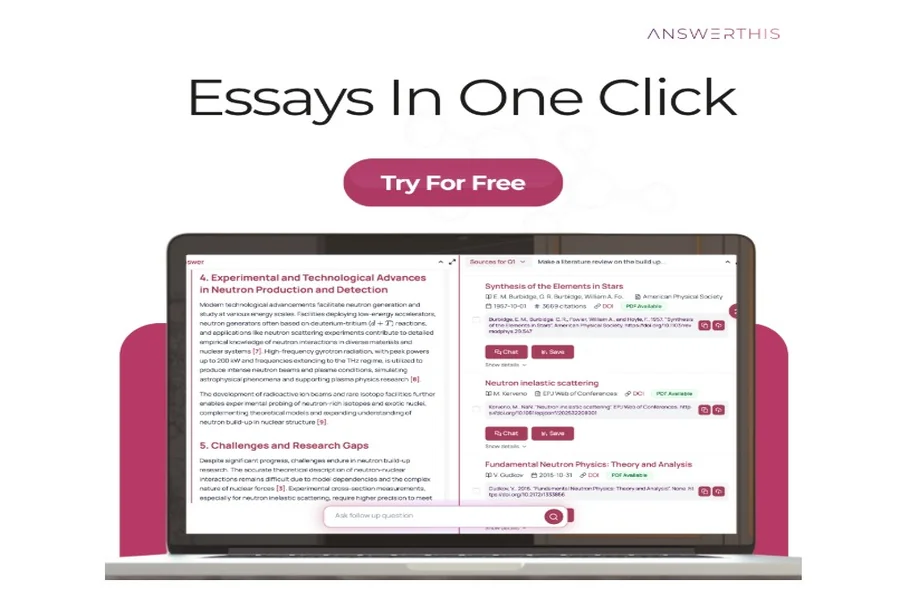
If essay writing feels like juggling five tabs, three style guides, and an empty Word doc, you’re not alone. The fix isn’t “write faster.” It’s “research smarter.” In this guide, I’ll show you a dead-simple, three-step workflow to plan, draft, and polish an essay inside AnswerThis, with every claim backed by citations, formatted in MLA/APA/Chicago, and ready to submit.
Along the way, you’ll learn how to turn one messy prompt into a thesis, outline, fully-cited body paragraphs, and a perfectly formatted bibliography, all without losing your voice.
Why this matters (and why most essays fall apart)
Most students don’t lose points because they “can’t write.” They lose points because the argument isn’t anchored to sources or the citations aren’t traceable. AnswerThis solves that by keeping sources, notes, drafting, and citations in one place, so every idea you develop is attached to the exact sentence in the exact paper that supports it.
- Research integrity: line-by-line citations to the precise source passage.
- Less switching costs: search, read, quote, paraphrase, and cite without bouncing across apps.
- Publication-grade output: references page auto-built in MLA, APA, or Chicago.
The 3-Step Essay Writing Workflow (start to finish)
Step 1; Find the argument (and the evidence) in one sitting
Open AnswerThis and start with your topic or assignment prompt. Two fast moves get you from “broad idea” to “defensible thesis”:
- Map the field, fast
Use the Literature Review tool to surface the 20–150 most relevant sources from 250M+ papers. You’ll see recurring findings, disagreements, and where the conversation is thin. The output isn’t just a summary, it’s annotated with line-level citations so you can jump to the exact claim and page. - Read smarter, not longer
Drop PDFs into Chat with PDF. Ask targeted questions:
- “What are the author’s main claims and limitations?”
- “Pull three quotable lines that address [your prompt] with page numbers.”
- “Summarize the methodology in two sentences I can paraphrase.”
Everything you extract stays tied to the source (no mystery notes later).
What you leave Step 1 with
A clear thesis candidate, 5–10 credible sources, and a short list of claims you can defend with real evidence.
Tip: If your professor expects novelty, run the Research Gap Finder to see where your angle adds value. It flags underexplored sub-questions you can bring into your essay.
Step 2: Draft the essay with citations as you write
Open AI Writer and paste your working thesis plus 3–5 points you plan to argue. Choose your citation style (MLA, APA, or Chicago). Now compose in small chunks, AnswerThis is built to co-write without steamrolling your voice.
-
Outline to paragraphs
Use the Outline Generator to scaffold your intro, body sections, and conclusion. Promote a section to the editor and ask:
“Draft 2–3 cohesive paragraphs that argue Point #1, citing Smith (2022) and Lee (2024) where relevant.”
The AI Writer will cite line by line, attaching superscripts that jump to the exact sentence in each source.
-
Quote, paraphrase, synthesize
- Use the AI editor to insert short, properly punctuated quotes with page numbers.
- Use the AI Paraphraser to rewrite dense sentences into clear academic prose without losing precision.
- Ask the editor: “Synthesize Jones (2021) and Patel (2023) into a single comparative paragraph, what’s the key difference in findings?”
-
Keep your voice
You’re the author. If a suggestion feels generic, highlight and prompt: “Rewrite in a tighter, more assertive tone. Keep my sentence structure.” The model will adapt to your cadence.
What you leave Step 2 with
A full, source-driven draft where every major claim is traceable to at least one credible citation, and your References / Works Cited / Bibliography already building itself in the background.
Mini-examples (style-aware):
- MLA in-text: (Smith 42)
- APA in-text: (Smith, 2022, p. 42)
- Chicago notes: adds a footnote with full first mention, short subsequent notes automatically.
Step 3: Polish, format, and submit (no last-minute panic)
-
Tighten the logic
Ask the editor: “Find weak transitions and add signposting between paragraphs,” or “Check if each topic sentence maps cleanly to my thesis.” You’ll get targeted fixes—not fluffy rewrites.
-
Style & compliance
Switch citation styles in one click (MLA ↔ APA ↔ Chicago). The References page regenerates with hanging indents, alphabetization, italics, and punctuation handled automatically.
-
Final clarity pass
Run the Free AI Paraphraser on sentences you over-complicated at 2 a.m. Then use “Explain Like I’m a Peer” on any dense section to ensure clarity without dumbing it down.
What you leave Step 3 with
A clean, confident essay in the required style, with every citation verified and a References/Works Cited page you don’t have to babysit.
A concrete example (from prompt to proof)
Prompt: “Evaluate whether city-level congestion pricing improves air quality and equity.”
- Step 1: Literature Review surfaces 60+ sources; ChatPDF extracts city-level PM₂.₅ outcomes and distributional effects. You pick 8 strong studies.
- Step 2: AI Writer drafts sections: theory → methods → findings → limitations, citing line by line. You synthesize two quasi-experimental studies with different equity results.
- Step 3: You switch from APA to Chicago because your department changed the spec, regenerate the bibliography, and tighten transitions. Done.
The AnswerThis stack that makes essay writing easier
Literature Review
Scan the terrain, spot consensus and disagreement, and harvest the sources you’ll actually cite, fast.
Chat with PDF
Interrogate papers. Pull quotes with page numbers. Summarize methods, results, and limitations without re-reading three times.
AI Writer
Turn outlines into paragraphs with citations as you write, synthesize multiple sources, and keep your tone intact.
Free AI Paraphraser
Improve fluency and academic tone while preserving meaning. Great for non-native writers and late-night clarity.
Citation Mapper
Visualize how your chosen papers connect; find a missing seminal source before the peer review in your classroom finds it for you.
Bibliometric Analysis
See top journals, authors, and trendlines in your topic—helpful for “situating your argument” sections.
Teams & Sharing
Share papers, libraries, and essay drafts with classmates or writing tutors; keep everyone on the same page.
Common pitfalls (and how the workflow prevents them)
1) “Good” ideas with weak sources
Because every generated sentence is tied to a source passage, weak claims get exposed early,before you submit.
2) Patchwriting that triggers suspicion
Using the paraphraser on your own notes (not as a shortcut around reading) keeps prose original and clear.
3) Style-guide whiplash
Switching MLA → APA → Chicago updates in-text citations, footnotes, and the bibliography automatically.
4) Last-minute bibliography chaos
References are built as you write, not at the end. You submit with confidence, not guesswork.
FAQs
Is AnswerThis allowed in my course?
Treat it like a writing studio + research assistant. You still choose sources, make arguments, and approve every sentence. The platform keeps your evidence traceable and your citations correct.
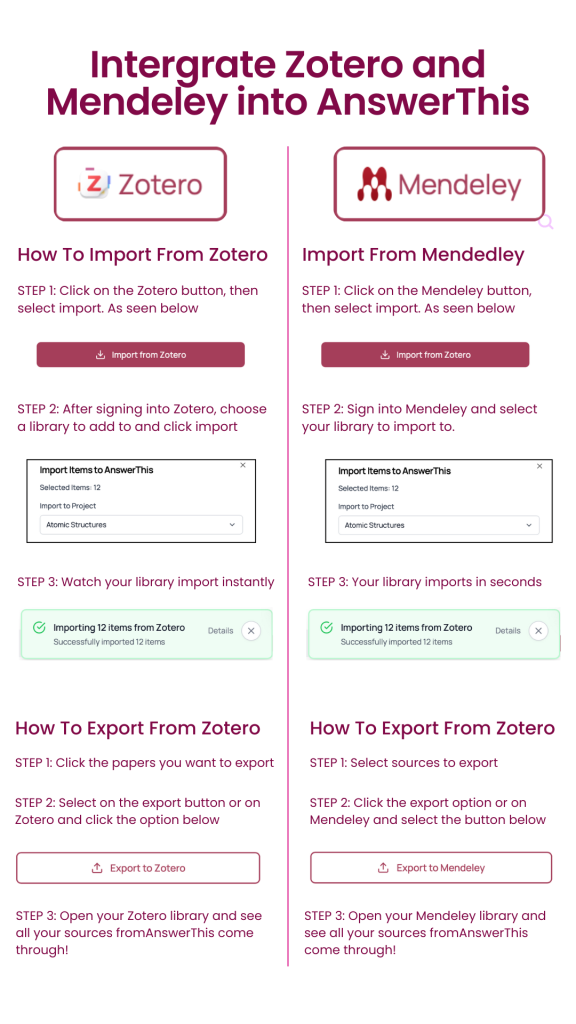
Can I import sources from Google Scholar or my library?
Yes, paste URLs/DOIs or upload PDFs, then use ChatPDF + AI Writer to draft with citations from your own library.
What if my essay needs figures or tables?
Use Citation Mapper to justify a “related work” diagram, or ask AI Writer to build a small results table with source callouts.